Full disclosure: Reflection is built by the Holstee team. We've tested every other app on this list against the same criteria. Here's where each one shines.
A Quick Note Before the List
The Holstee team has been testing journaling apps for years. Some we've used daily, some we've tried and dropped, and one (Reflection) we ended up building because the field was missing what we wanted. So this guide isn't a press release — it's how we'd actually answer the question if a friend asked, "what should I journal in?"
Short answer: the best journaling app is the one you'll open tomorrow. The seven below all clear that bar — the differences are in tone, privacy model, AI capability, and whether you want a quiet blank page or a thoughtful prompt.
If you want the comparison-table view, jump to the feature comparison. If you want a free pick, the Apple Journal and Diarly sections are the most useful starting points.
Why Digital Journaling Is Worth Considering
Paper still wins for slow mornings and cozy evenings. But a phone is the thing you actually have on you when an insight, a worry, or a small joy lands. A good digital journal turns those moments into a practice instead of a missed thought.
The research backs this up. Decades of work going back to James Pennebaker's expressive-writing studies show that regular reflective writing improves mood, sleep, and even immune function. The medium matters less than the consistency.
The 7 Best Journaling Apps for 2026
1. Reflection — Best AI-Enhanced Journaling App

Free tier: Yes (Premium unlocks 100+ guided journals and advanced AI). Platforms: iOS, Android, macOS, Web. Standout: Pulls insights from your own thinking — patterns across entries, automatic week / month / year reviews, and on-demand coaching sessions you can start from any entry or topic.
Reflection is the app the Holstee team built. The thing that makes it different from a blank page or a generic AI chatbot is what happens after you've written for a while: it surfaces patterns across your entries — what tends to put you in a good mood, what shows up only on Sundays, which weeks felt heaviest and why — and auto-generates Weekly, Monthly, and Annual Reviews so you can read your own life back at the cadences that matter.
When you want a thinking partner, you can start a coaching session on demand — pick a specific entry or a topic from the past week, month, or year, choose voice or text, and Reflection asks the kinds of questions a thoughtful friend might. The 100+ guided journals (written by humans on the Holstee team) cover mental health, growth, relationships, and career. Privacy is a first-class feature: encrypted at rest and in transit on SOC 2 / ISO 27001 hosting, subscription-funded rather than data-sales, a Private Entry toggle that keeps specific reflections out of any AI analysis, per-entry passwords that blur your most sensitive entries on-device, and the option to share individual entries via links you can revoke any time.
Switching is easy too: Reflection imports directly from Day One, Journey, Penzu, Google Keep, and Apple Notes, so trying it doesn't lock you out of your existing journal. Try Reflection — free on iOS, Android, macOS, and Web.
2. Day One — Best for Traditional Digital Journaling

Free tier: Limited (Premium ~$34.99/yr unlocks multiple journals, end-to-end encryption). Platforms: iOS, macOS, Android, Web. Standout: Decade-deep polish.
Day One has been the default "serious" journaling app for years, and it shows in the details — calendar view, on-this-day, photo timelines, weather and location auto-tagged. Acquired by Automattic (the company behind WordPress.com) in 2021, which brought broader sync infrastructure but also moved the privacy model toward an account-based one. End-to-end encryption is available on Premium.
If you want the most polished traditional journal and don't mind a paid plan for the full feature set, Day One is the safe pick.
3. Journey — Best for Cross-Platform Flexibility

Free tier: Yes (Membership unlocks cloud sync and unlimited entries). Platforms: Web, iOS, Android, macOS, Windows, Linux. Standout: Runs everywhere.
Journey's superpower is reach. If you write across a Windows laptop, an iPhone, and a Linux box at work, this is the only app on the list that meets you on all three. The interface is sparser than Day One but covers the essentials — photos, location, mood, tags. Cloud sync requires Membership; the free tier is local-only.
4. Diarly — Best for Apple Users Who Want Simple and Private

Free tier: Yes (Premium unlocks tags, themes, sync across devices). Platforms: iOS, macOS, iPadOS, watchOS. Standout: Offline-first by default.
Diarly is what Apple Journal would be if it had grown up with five more years of feature development. It's local-first (your entries stay on-device unless you opt into iCloud sync), the writing surface is genuinely beautiful, and the free tier is generous enough to be a real journal — not a trial.
5. Penzu — Best for Privacy-Focused Journaling on the Web

Free tier: Yes (Pro adds military-grade encryption, custom covers, mobile apps). Platforms: Web, iOS, Android. Standout: Double-password protection on the Pro tier.
Penzu is the longtime web-based pick — useful if you write at a desk and want a journal that works in any browser without a download. The Pro tier adds 256-bit AES encryption and a per-entry password layer on top of the account login. Interface is older-feeling than the native apps, but the privacy model is among the strongest on this list.
6. Stoic — Best for Guided Mental-Health Journaling

Free tier: Yes (Premium unlocks the full guide library and history). Platforms: iOS, macOS, Android. Standout: Structured morning-and-evening practice with built-in CBT, gratitude, and dream-journaling templates.
Stoic is built around the morning-prep / evening-reflection rhythm, with prompts that draw from Stoic philosophy, CBT, and positive psychology. Beyond writing, the app folds in mood tracking, breathing exercises, short meditations, and templates for specific scenarios (therapy session prep, CBT thought dumps, dream journaling). The AI-powered insights are lighter-touch than Reflection's, but the guided structure makes it the easiest pick for someone who wants to be told what to journal about today rather than face a blank page.
7. Apple Journal — Best Native Option for iPhone Users

Free tier: Yes (free with iOS). Platforms: iOS only. Standout: Built into the OS — no friction to start.
Apple Journal launched in late 2023 and has expanded meaningfully since — multiple journals, intelligent suggestions drawn from your photos, workouts, music, and locations, State of Mind mood tracking integrated with Apple Health, audio recordings with transcription, drawings, a map view of entries, and Mindful Minutes logging. It's the easiest free starting point for anyone on an iPhone, with the strong Apple privacy model (everything is end-to-end encrypted via iCloud). The limitation is iOS-only; if you live across platforms, this won't be your home.
Best Free Journaling Apps
If "free" is the constraint, three of the seven apps above give you a genuine journal — not a trial — at no cost:
- Apple Journal if you're on iPhone. Free, encrypted, native.
- Diarly if you're in the Apple ecosystem and want a more polished writing surface. Free tier covers daily writing; sync is paid.
- Stoic if you want a guided practice with prompts. Free tier covers the daily morning/evening flow.
For Android specifically: Stoic, Journey, and the Reflection app's free tier are the three strongest free picks. Apple Journal is iPhone-only; Diarly is in the Apple ecosystem only.
The Holstee Approach to Journaling
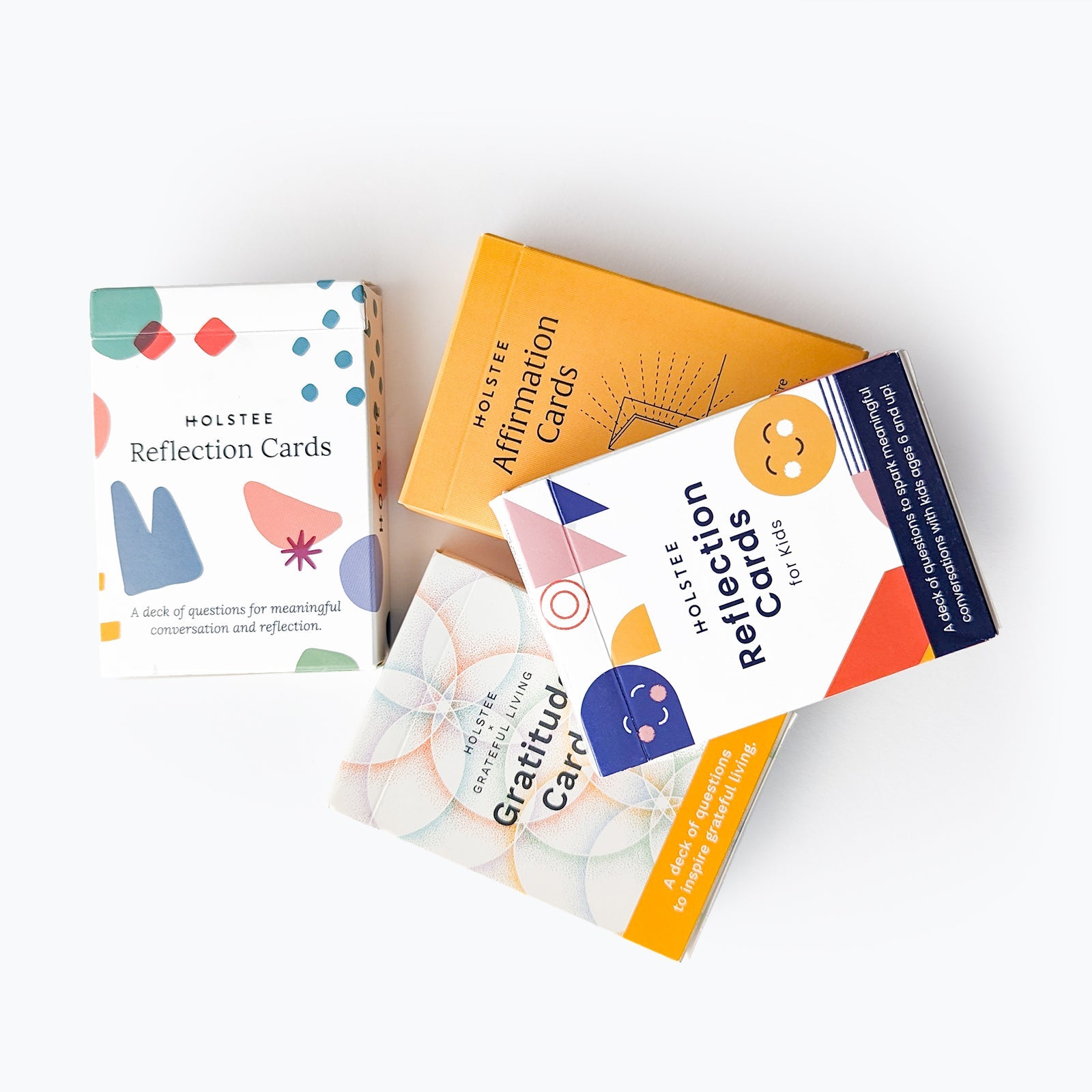
Whatever app you land on, the practice matters more than the platform. Holstee has spent fifteen years building tools to support reflection — from the Reflection Cards (a deck of 100 questions for journaling, conversation, or sitting with on a long walk) to the paper journals in our catalog. The Reflection app is the digital extension of that work. Use any of them, alone or together — the goal is showing up.
AI-Enhanced Journaling: When It Helps, When It Doesn't
The good version of AI in a journal surfaces patterns across entries that you'd miss yourself, asks better questions than the blank page does, and produces useful retrospectives at week / month / year boundaries. The bad version replies to your reflection with a chatty paragraph that adds nothing. The category is young; the bar is moving fast.
Reflection (above) leads here. It surfaces Patterns and Action Items from each entry, generates Weekly, Monthly, and Annual Reviews automatically, and lets you start an on-demand coaching session — voice or text — based on any specific entry or topic. Stoic is the lighter-touch alternative — its AI insights are more reflective than coaching-style. Adjacent picks worth knowing about: Mindsera takes a mental-model coaching frame; Rosebud leans into longer back-and-forth dialogue. Both have committed users.
A useful test before you commit to any AI journal: write three real entries, then ask the app to tell you something about yourself. If the answer feels generic — could apply to anyone — keep looking. If it surprises you in a small specific way, you've found the right one.
Feature Comparison
●●● strong · ●●○ good · ●○○ basic · ○○○ none — for at-a-glance comparison; details in each app's section above.
| App | Free tier | Platforms | AI | Privacy | Best for |
|---|---|---|---|---|---|
| Reflection | Yes | iOS, Android, macOS, Web | ●●● Patterns + week/month/year reviews + on-demand voice/text coaching | ●●● Encrypted at rest + in transit, per-entry passwords, revocable share links, AI opt-out toggle | Insights across time |
| Day One | Limited | iOS, macOS, Android, Web | ○○○ None | ●●○ End-to-end encrypted on Premium; account-based on free | Polished traditional journaling |
| Journey | Yes (local-only) | Web, iOS, Android, macOS, Windows, Linux | ●○○ Light AI prompts | ●○○ Account-based, standard cloud sync | Cross-platform reach |
| Diarly | Yes | iOS, macOS, iPadOS, watchOS | ○○○ None | ●●● Local-first; iCloud sync optional | Beautiful Apple-ecosystem writing |
| Penzu | Yes | Web, iOS, Android | ○○○ None | ●●○ Pro adds 256-bit AES + per-entry password | Privacy-focused web journal |
| Stoic | Yes | iOS, macOS, Android | ●○○ Light AI insights | ●○○ Account-based, standard cloud sync | Guided morning/evening practice |
| Apple Journal | Yes (free) | iOS only | ●○○ On-device suggestions | ●●● iCloud end-to-end encrypted by default | Native + frictionless on iPhone |
How to Choose Your Journaling App
Quick filters that get most people to the right pick in under a minute:
If you want to remove friction from getting insights out of your entries: Reflection.
If you want the most polished traditional journal: Day One.
If you want a guided morning/evening practice: Stoic.
If you want free and you're on iPhone: Apple Journal or Diarly.
If you write across multiple operating systems: Journey.
If privacy is the deciding factor: Reflection (Private Entry mode + SOC 2 hosting), Penzu Pro for web, or Apple Journal / Diarly for the Apple ecosystem.
The Science of Journaling, Briefly
Reflective writing has been studied for decades. James Pennebaker's expressive-writing protocols, going back to the 1980s, link regular journaling to better mood, sleep, and immune markers. More recent work in positive psychology adds gratitude journaling specifically to the list of practices with consistent evidence. None of this is exotic — it's the same compounding effect as exercise: small consistent doses beat big inconsistent ones.
Starting Your Practice This Week
Pick one app. Set a recurring two-minute slot — first coffee, last thing before bed, the walk to the train. Write one sentence on day one. Don't aim for depth; aim for presence. The depth shows up around week three.
For a little structure to start with, our morning-and-evening journaling routine and our 30 prompts to kickstart your practice are both decent on-ramps. The Reflection Cards work alongside any digital journal — pick one card, write what comes up.
One More Thing
The seven apps above will all do the job. The choice matters less than showing up. Pick the one that gets you to open it tomorrow, and let the practice teach you what you actually want from a journal six months from now. You can always switch — most of these export cleanly, and Reflection imports directly from Day One, Journey, Penzu, Google Keep, and Apple Notes if you want to consolidate later.
For more on starting and sustaining a journaling practice, see our argument for keeping a daily journal or, for a guided practice with a community alongside you, The Flourishing Life membership.
Frequently Asked Questions
What is the best journaling app overall?
The best journaling app depends on what you want from the practice. For real-time AI coaching and pattern insights, Reflection. For traditional polished journaling across devices, Day One. For a guided morning/evening practice, Stoic. For a free native experience on iPhone, Apple Journal. For cross-platform writing across Windows and Linux, Journey. The best one is the one you'll open tomorrow.
What is the best free journaling app?
Apple Journal is the best free pick if you're on iPhone — it's native, encrypted, and frictionless. On Android, Stoic, Journey, and Reflection all have genuinely useful free tiers. Diarly's free tier on iOS is generous enough to be a real daily journal, not a trial.
What is the best journaling app for Android?
Reflection for AI-enhanced insight, Journey for cross-platform writing, and Stoic for guided morning/evening practice are the three strongest Android picks. Apple Journal and Diarly are iOS/Apple-ecosystem only.
Is there a good AI journaling app?
Yes. Reflection (built by the Holstee team) leads the category. It surfaces patterns across your entries, generates Weekly, Monthly, and Annual Reviews automatically, and lets you start an on-demand coaching session — voice or text — based on any specific entry or topic. Stoic offers lighter-touch AI insights inside a guided morning/evening practice. Mindsera and Rosebud are adjacent picks worth knowing about. Test any AI journal by writing three real entries and asking it to tell you something about yourself; generic answers mean it's the wrong app.
Is digital journaling as effective as paper?
Yes, for most people. Decades of expressive-writing research show that the medium matters less than the consistency. Paper has a meditative quality that's hard to replicate; digital wins on capturing thoughts in the moment, since your phone is with you. Many practitioners use both.
How private are journaling apps?
It varies. Apple Journal uses iCloud end-to-end encryption by default. Diarly is local-first with optional iCloud sync. Reflection uses AES-256 encryption at rest, TLS 1.2+ in transit, and SOC 2 / ISO 27001 hosting, offers a Private Entry mode that excludes specific entries from any AI analysis, supports per-entry passwords that blur your most sensitive entries, and lets you share individual entries via links you can revoke any time. Day One offers end-to-end encryption on the Premium tier. Penzu Pro adds 256-bit AES with per-entry passwords. Always check the app's current privacy policy before committing — privacy models change with company ownership.
How often should I journal?
Daily, if you can — but two minutes is enough to count. Consistency beats length. Most journaling apps show your streak; ignore the streak pressure and aim for "more days than not" instead. The depth compounds around week three.
Do journaling apps work for beginners?
Yes — most are designed for new journalers. Apple Journal and Daylio have the lowest friction to start. Reflection's prompts are written for any starting point. If a blank page feels intimidating, start with prompts (the Holstee Reflection Cards work alongside any digital journal).